Every time someone visits your Odoo website, a request lands on your server. That request carries a lot of information: where the visitor came from geographically, what page they were looking for, whether they got a valid response or a broken one, and whether they were a real person or an automated crawler working through your URLs.
By default, Odoo keeps none of it.
Your ERP knows what orders came in, what leads were created, what invoices went out. It does not tell you how many people visited your pricing page and left without filling a form, or that forty percent of your server traffic is bots that have nothing to do with your customers.
What You Actually See
Once installed, every HTTP request to your Odoo instance is captured and stored in a table you can query, filter, and group from inside Odoo itself. No external dashboard. No third-party account. No JavaScript snippet on your pages that phones home to someone else's servers.
Each record in the log contains the visitor's IP address, the page they accessed, the HTTP method (GET, POST, etc.), the response code your server gave back, and geographic data: country, city, continent, and the ISP or network they came from. Authenticated users are linked to their Odoo user record, so you can see which logged-in team members or portal customers are active.
The built-in views let you answer questions like these without writing a single query:
Which countries are your visitors coming from? Group by country and you have a ranked list with hit counts. If you are running marketing in specific regions, this tells you whether those regions are actually finding your site.
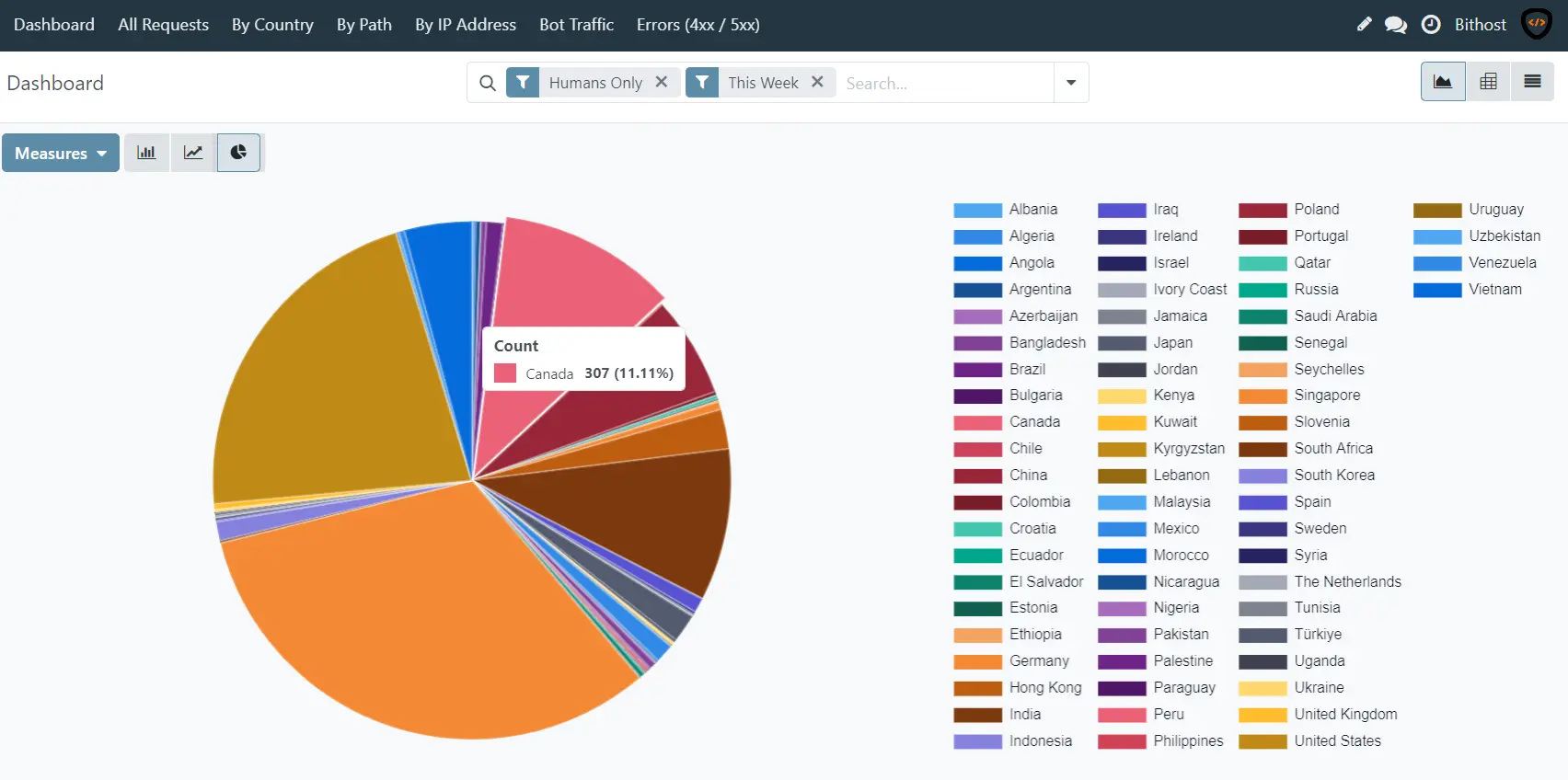
Which City user coming from:
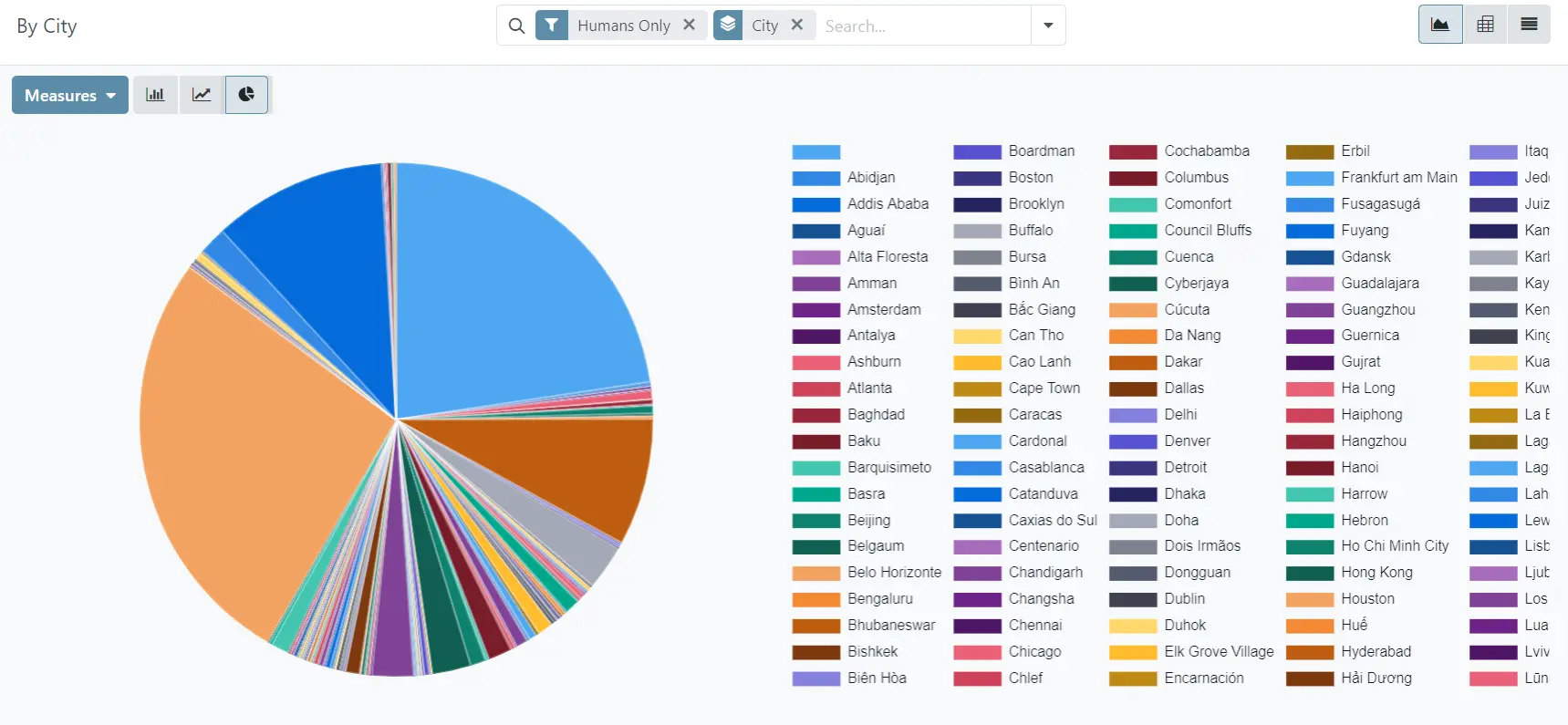
What pages get the most traffic from real visitors? The module separates human traffic from bots automatically. The "By Path" view shows your top pages with bot traffic excluded, so you are looking at genuine interest and not crawler noise.
Are there broken pages on your site? The Errors view filters for all 4xx and 5xx responses. A spike in 404s often means a URL changed somewhere and old links or ad campaigns are sending people to a dead end. A 500 error that appears repeatedly on a specific path is worth investigating before a customer calls to complain.
How much of your server traffic is automated? On most sites, between thirty and sixty percent of requests come from bots: search engine crawlers, SEO audit tools, security scanners, and malicious scrapers. Knowing the actual ratio helps you size your infrastructure on real demand rather than raw request counts.
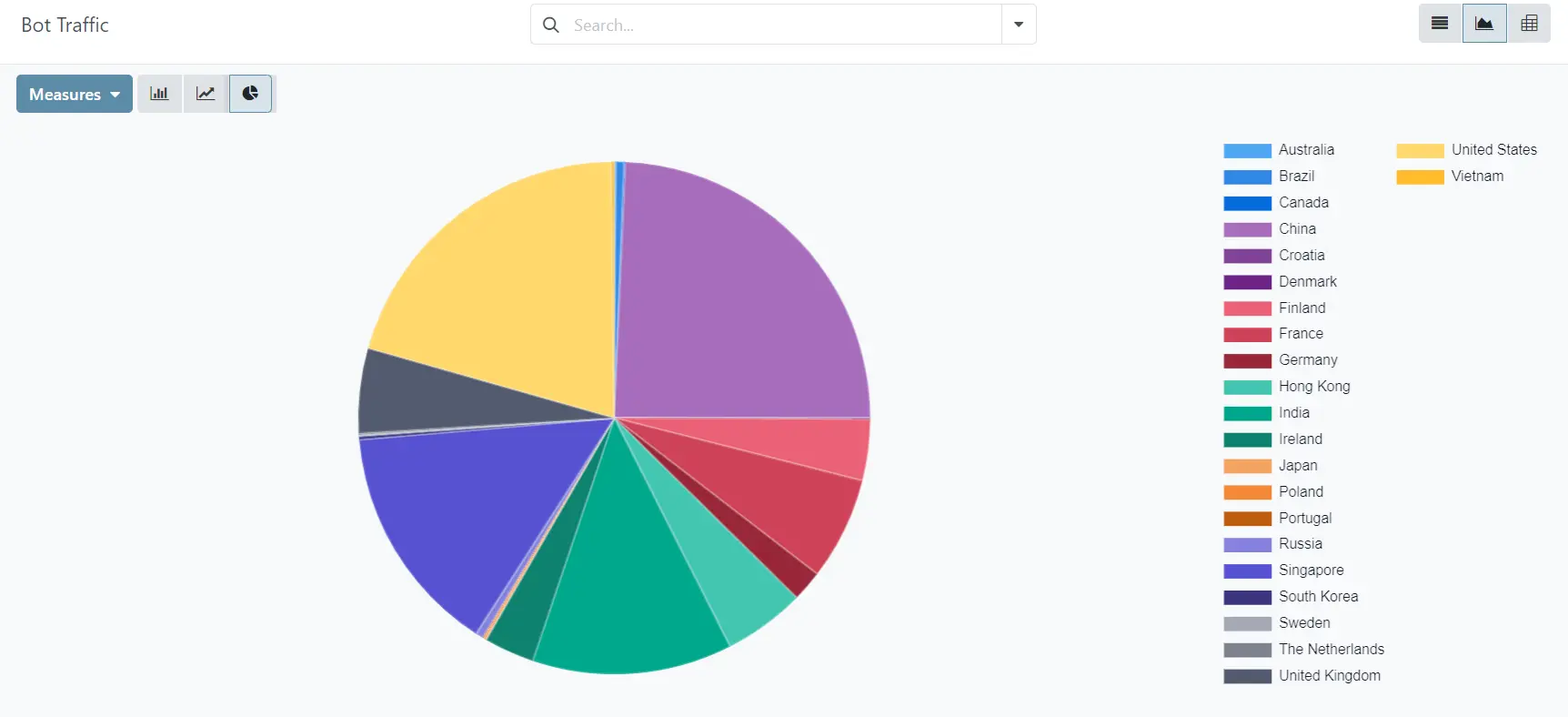
What This Supports, Business-Side
Traffic data is not a technical curiosity. It feeds decisions that have direct commercial consequences.
When a sales campaign goes out and you want to know whether the landing page is getting visits, you no longer need to ask your developer to pull server logs or check a disconnected analytics platform. You open Odoo, filter by date range and path, and see the number in thirty seconds.
When you are evaluating whether to invest in SEO for a particular region, the geographic breakdown gives you a baseline. If you are already seeing traffic from Germany but your site has no German content, that is a signal worth acting on.
When a customer reports they could not access a specific page, you can look up their session in the log and see exactly what the server returned, when, and from which IP address.
When the hosting bill goes up and you are trying to understand why, the ISP and bot traffic data often tells the story faster than anything else.
None of this requires leaving Odoo, exporting data, or paying for a subscription to a separate analytics service.
How It Fits Into Your Odoo Setup
The module installs as a standard Odoo addon. It requires no changes to your website templates, no JavaScript modifications, and no external dependencies beyond a free MaxMind GeoLite2 database file for the geographic lookups.
Request capture happens in a background thread after the HTTP response is already sent back to the visitor. There is no added latency on your pages.
Static assets (CSS files, JavaScript bundles, images, fonts) are filtered out by default. So are Odoo's own internal RPC calls and polling requests. What remains in the log is the traffic that actually represents user activity.
Configuration is minimal. Four system parameters control whether logging is active, how long records are kept before the daily cleanup runs, and whether loopback requests from the server itself should be recorded.
The data lives in a single PostgreSQL table inside your Odoo database. Your existing backup procedures cover it automatically.
What It Does Not Do
This module is not a replacement for Google Analytics or a full marketing attribution platform. It does not track individual user journeys across sessions, does not measure time-on-page, and does not integrate with advertising platforms.
It also does not capture traffic that goes through external CDNs or load balancers before reaching your Odoo server, unless those systems are configured to forward the original client IP in the X-Forwarded-For header.
If you need event tracking, conversion funnels, or A/B testing, those are different tools for different jobs. This module answers one specific question well: what requests are hitting your Odoo server, from where, and with what result.
Getting Started
- Install the Python dependency: pip install geoip2
- Download the free GeoLite2-City and GeoLite2-ASN database files from MaxMind and place them in the module's geoip/ folder
- Install the module from the Odoo Apps menu
- Traffic appears in the Web Analytics menu immediately
Geographic enrichment requires the database files. Without them, the module still captures path, IP, status code, user, method, and bot detection. Everything works, the country and city fields are just empty.
Retention is set to 90 days by default. Records older than that are deleted by a scheduled daily cleanup. You can change the retention period or disable automatic cleanup entirely from Settings → Technical → System Parameters.
A Note on Data Privacy
All captured data stays in your own database. Nothing is sent to any third party. If you are operating under GDPR or similar frameworks, the standard considerations around storing IP addresses apply. You can reduce the retention window, disable the module entirely for specific periods, or purge the log table manually at any time.
How Bithost Can Help
Bithost builds and maintains production Odoo deployments for businesses that need their ERP to do more than ship with the defaults. If you want this module running on your instance, need it customised to filter specific paths or export data to another system, or are looking at a broader Odoo implementation, the team at Bithost has done it before.
Reach out at www.bithost.in or write to the team directly at sales@bithost.in. There is no sales process to navigate. You describe what you need, Bithost tells you whether it is feasible and what it would take, and you decide from there.
